

Partner Onboarding Checklist
Follow the steps below in order. Each step is assigned to a named owner — confirm handoffs before moving to the next phase.
Elliot
bLoyal Sales & Account Setup
Kathleen
bLoyal Client Success
Sam
CMS Max
Sales Intake & Quote Handling
Initial handoff and quote approval
-
Sam introduces the new customer to Elliot.
-
Elliot schedules an onboarding call with the client and sets expectations.
Provisioning the bLoyal Account
Client provisioning and project assignment
-
Elliot sends the CMS Max–specific provisioning link to the client.
-
Once the client completes provisioning, Elliot assigns the project to Kathleen.
Client Success Setup
Configuration, credentials, and access handoff
Initial Client Email
-
Kathleen emails the client requesting inclusion of their POS partner, copies Sam to keep him apprised, and outlines next steps.
bLoyal Director Configuration
The CMS Max integration setup is mostly on the CMS Max side. However, you will need to go into the client's Director account and set up a Web Store and device for the CMS Max store.
In the client's Director account, create a Web Store and device for the CMS Max store.
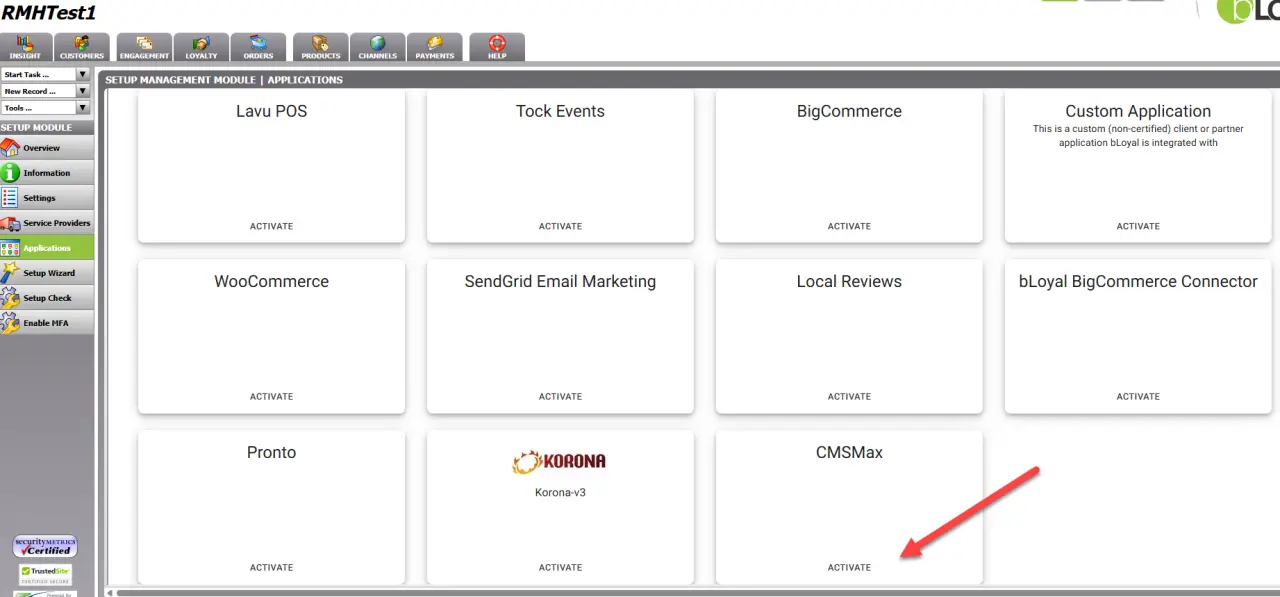
Navigate to Setup → Applications, find CMS Max, and click Activate. This creates the Store Key and Application Key.
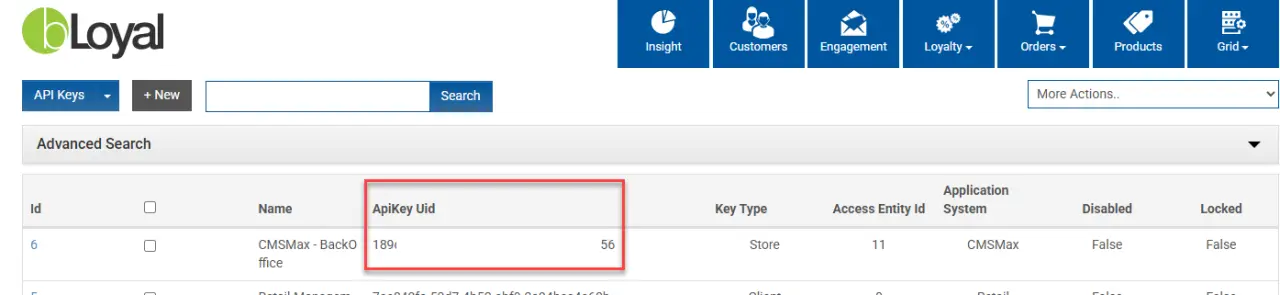
Navigate to Setup → Settings → Grid Setup → API Keys, locate the CMS Max key, and send it along with the Login Domain to the CMS Max team.
Provide POS Partner Installation Package
Kathleen sends the POS partner:
-
Login domain
-
API / store key
-
Link to the correct installation guide (see Step 4 below)
CMS Max Access
-
Kathleen creates a CMS Max user account for Sam and emails him separately from the client.
POS Partner Installation
Expand your POS system below for installation steps
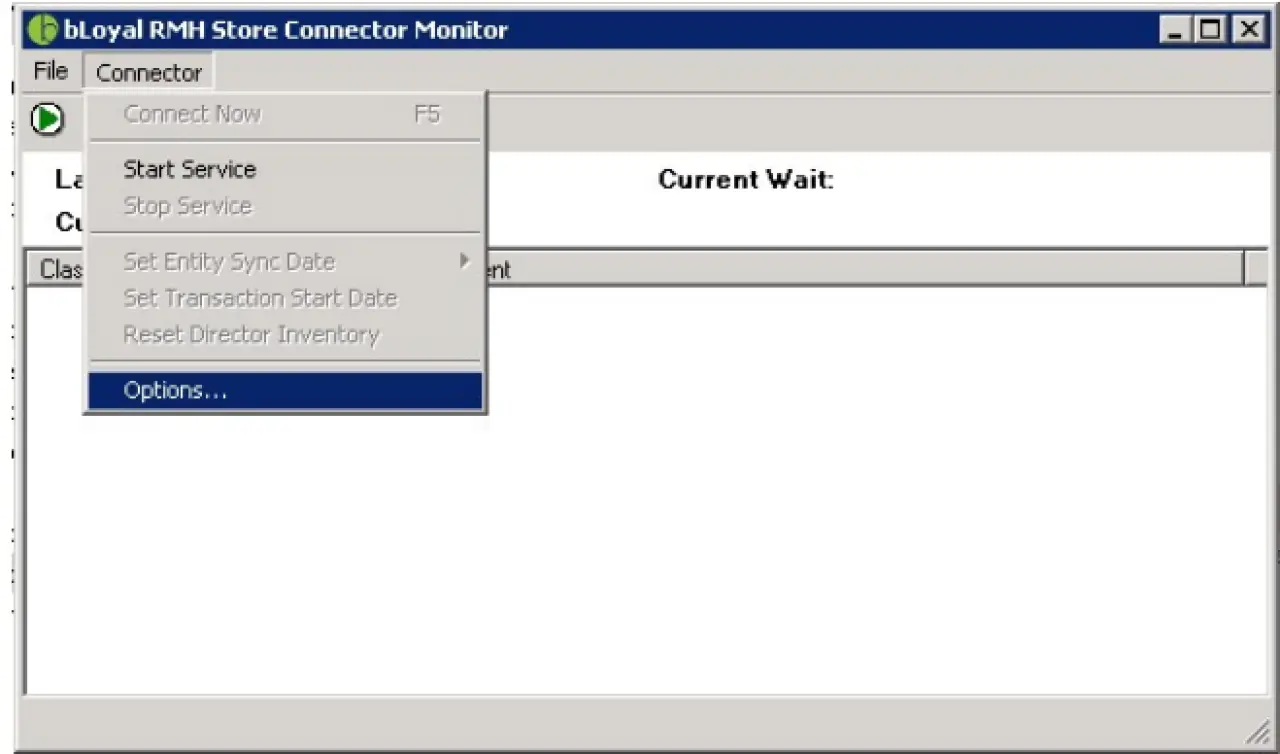
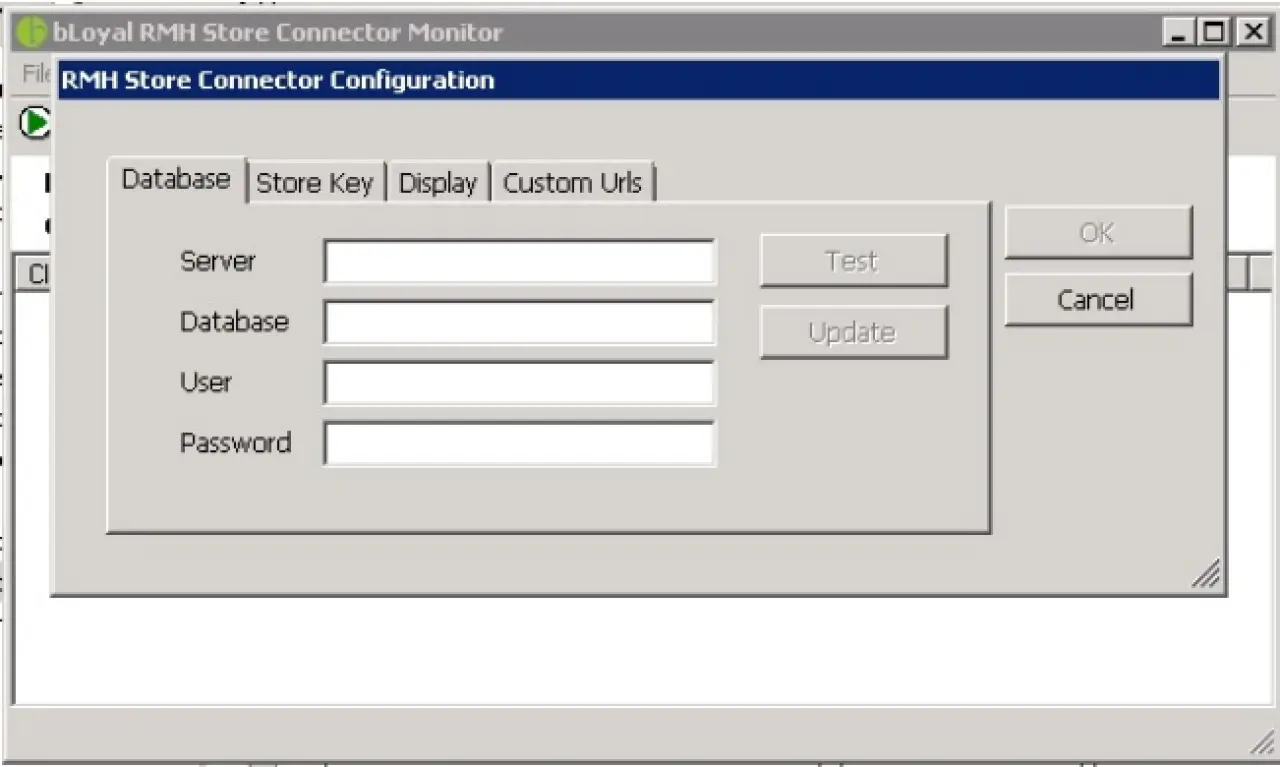
The POS partner installs the Back Office Connector and confirms completion back to Kathleen. Expand your POS system below for specific instructions.
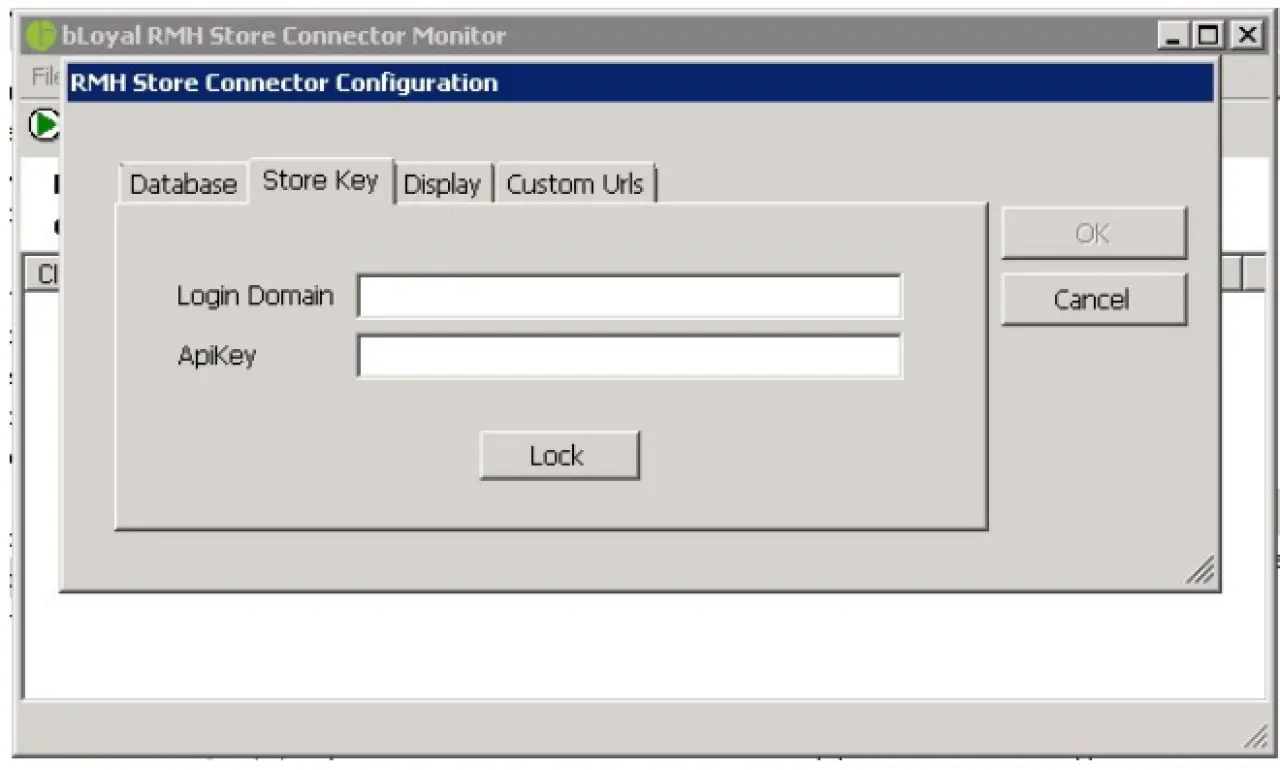
Sync Verification
Confirm sync and transition to support
-
Kathleen verifies that products sync correctly.
-
Once verified, the client is transitioned to Support.
Support Path
Ongoing support after go-live
All support requests must be directed to:
support@bLoyal.comImportant
All support requests must go to bLoyal support — not directly to CMS Max or Kathleen.
