

Use structured widgets for dynamic behavior so content teams can configure records without maintaining application markup.
The current CMS Max site exposes 17 installed shortcodes through the MCP registry; additional plugins or site configurations can add or remove available widgets.
Current core and installed widgets
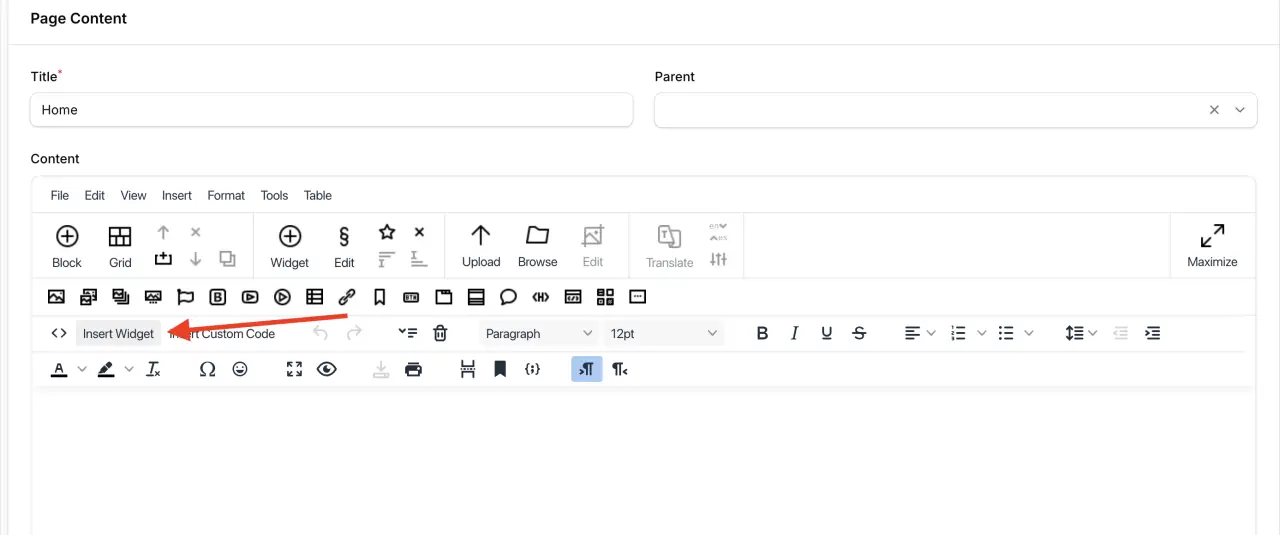
Insert a widget
- 01Open the page or reusable section editor.
- 02Select Insert Widget. Search by the task or display name.
- 03Configure the structured fields. Select records, layout, limits, labels, and other options exposed by that widget.
- 04Insert and preview. Keep the generated shortcode intact unless an advanced workflow requires source editing.
- 05Test empty and populated states. Dynamic widgets depend on current records, visibility, plugin installation, and permissions.