

Experience layer
Pages, themes, navigation, media, forms, products, search, and conversion paths come together as one customer journey.
Connected digital operations
One foundation for your website, commerce, customer data, and growth.
CMS Max connects the experience customers see with the content, forms, products, integrations, and workflows your team manages behind it.
A platform, not a patchwork
CMS Max is built around the relationship between content, customers, commerce, data, and operations. That shared foundation helps teams launch faster, maintain a clearer source of truth, and expand without turning every new capability into another disconnected project.
Pages, themes, navigation, media, forms, products, search, and conversion paths come together as one customer journey.
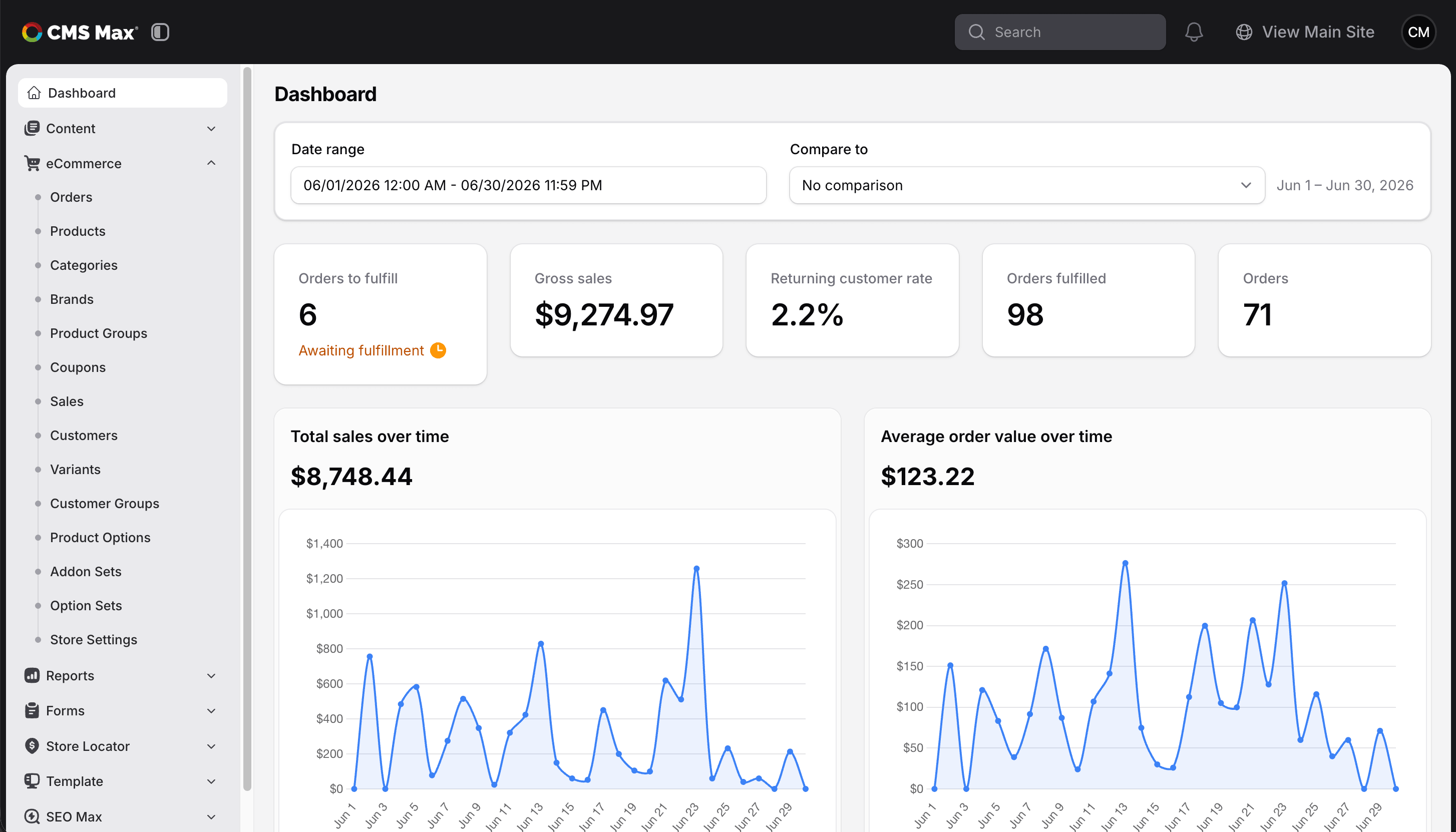
Teams manage submissions, customers, products, orders, fulfillment, content, and reporting from the same platform.
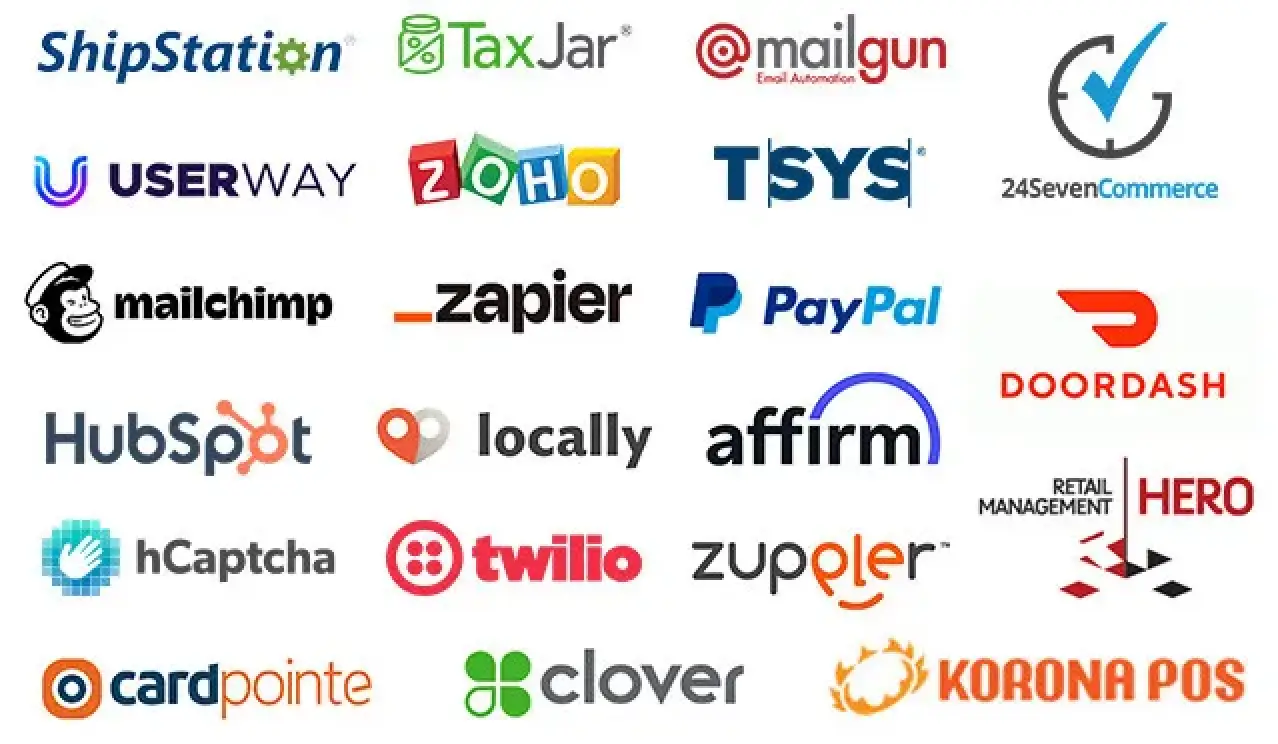
Supported plugins, POS integrations, APIs, webhooks, feeds, and MCP tools connect CMS Max to the wider business.
Core capabilities
Each capability can stand on its own. The real advantage comes from using them together around one website, one customer experience, and one growth plan.
Manage pages, media, menus, popups, blogs, reusable sections, themes, layouts, and structured content without separating design from daily publishing.
Explore the website builderBring products, options, variants, pricing, customers, checkout, orders, fulfillment, reporting, feeds, and supported POS workflows together.
Explore eCommerceCreate branded forms for leads, applications, payments, registrations, file uploads, notifications, and operational data collection.
Explore MaxformsControl browser titles and metadata, improve on-page foundations, review supported SEO suggestions, and use AI to accelerate selected content tasks.
Explore SEO MaxConnect supported services for payments, tax, shipping, marketing, accessibility, communications, analytics, product distribution, and retail operations.
Browse pluginsExtend workflows through authenticated APIs, event-driven webhooks, shortcodes, and tenant-scoped MCP tools for pages, layouts, menus, and theme configuration.
Connected architecture
The platform is organized in layers so teams can understand where work happens while the data and workflows stay connected underneath.
A practical operating cycle
Define the pages, products, forms, customer paths, and workflows the business needs.
Create the branded experience and connect the supported systems behind it.
Give each team the right tools for content, commerce, submissions, and service.
Use reporting, SEO, AI assistance, and customer signals to guide the next iteration.
One platform, role-friendly tools
CMS Max organizes features by the work people manage, helping teams share one platform without forcing everyone into the same workflow.
Map your team workflowExtend the platform
The plugin ecosystem covers payments, tax, shipping, communications, marketing, analytics, accessibility, product discovery, delivery, retail, and automation. Integrations are matched to the workflow and data direction each project requires.
Why the platform model matters
A connected platform gives the website room to become part of the operation rather than remaining a separate marketing project.
Teams can connect what a customer sees with the products, submissions, orders, and workflows that follow.
Strategy, implementation, integrations, and ongoing improvement can be evaluated as one system.
Plugins, APIs, webhooks, feeds, and MCP tools extend defined workflows instead of creating isolated data paths.
Platform questions
A platform decision should account for the website you need now and the workflows you may need next.
No. Content management is one part of CMS Max. The platform can also support eCommerce, forms, SEO, AI-assisted workflows, plugins, POS integrations, APIs, webhooks, and other operational capabilities.
Yes. CMS Max is designed to manage content and commerce together, including public pages, product catalogs, checkout, customers, orders, fulfillment, and connected retail workflows.
Supported connection methods include plugins, POS integrations, product feeds, authenticated APIs, webhooks, shortcodes, and tenant-scoped MCP tools. The right method depends on the system and required data flow.
Yes. The admin organizes content, forms, template, settings, eCommerce, and plugin features into role-friendly sections so marketing, commerce, operations, and technical teams can share the platform.
CMS Max supports configurable content and commerce workflows plus an extensible plugin, API, webhook, and MCP architecture. Custom requirements are reviewed with the CMS Max team to determine the best supported approach.
Build on CMS Max
Bring us the customer journey, the team workflow, and the systems that need to connect. We will help define the right CMS Max foundation.
your next platform and the growing journey
Tell us what your customers need, how your team operates, and where the business is going. We will help map the right CMS Max foundation.
Copyright © CMS Max. All Rights Reserved | Terms/Privacy Policy
