

Designed for the brand
Build the visual hierarchy, page patterns, and conversion paths around the organization rather than a preselected storefront theme.
Design + content + growth
Build a distinctive website without building your business on a generic template.
CMS Max combines custom design with practical tools for pages, media, menus, reusable sections, forms, blogs, SEO, integrations, and long-term content operations.
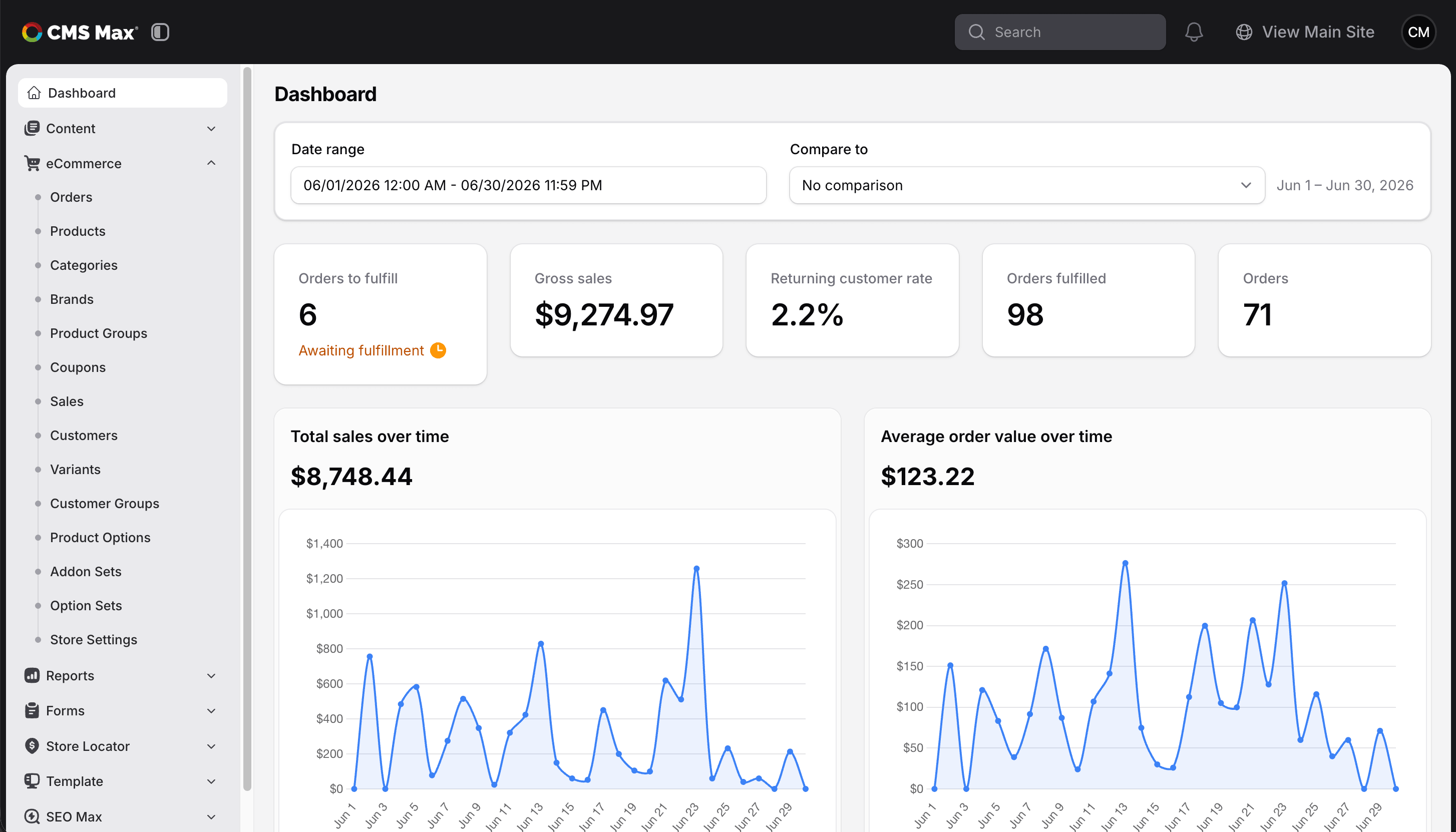
A website designed as a system
CMS Max gives designers room to create a brand-specific experience while giving content owners structured tools for the work that follows. Reusable sections, layouts, navigation, media, and page controls help the site stay consistent as more people publish and more capabilities are added.
Build the visual hierarchy, page patterns, and conversion paths around the organization rather than a preselected storefront theme.
Give content owners reusable building blocks, clear navigation, media controls, forms, and role-friendly administration.
Add eCommerce, integrations, SEO workflows, forms, blogs, APIs, webhooks, and other supported capabilities on the same platform.
Website and content capabilities
CMS Max organizes the work around content, design, customer action, and discoverability so the site remains useful after launch day.
Create, organize, schedule, preview, publish, archive, and optimize pages while keeping URLs, titles, metadata, and content hierarchy under control.
Explore content FAQsUse a governed design system with reusable headers, footers, page layouts, sections, typography, colors, buttons, and responsive patterns.
Explore theme resourcesOrganize website media, reuse approved assets, preserve descriptive alternatives, and deliver responsive imagery for modern devices.
Discuss your content libraryManage site navigation, nested menu structures, calls to action, popups, and reusable content paths without duplicating every update.
Explore site searchCollect leads, applications, files, registrations, payments, and feedback while publishing useful long-form content on the same website.
Explore MaxformsControl browser titles and descriptions, improve content structure, review supported SEO suggestions, and accelerate selected tasks with AI.
Explore SEO MaxReal websites, distinct outcomes
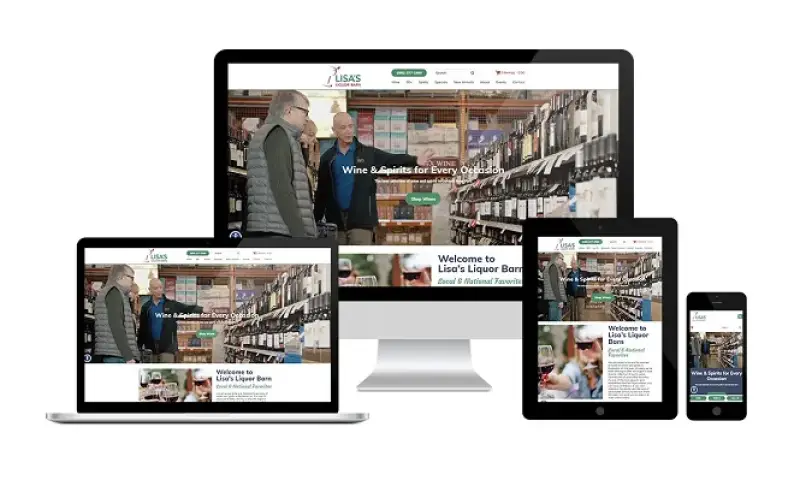
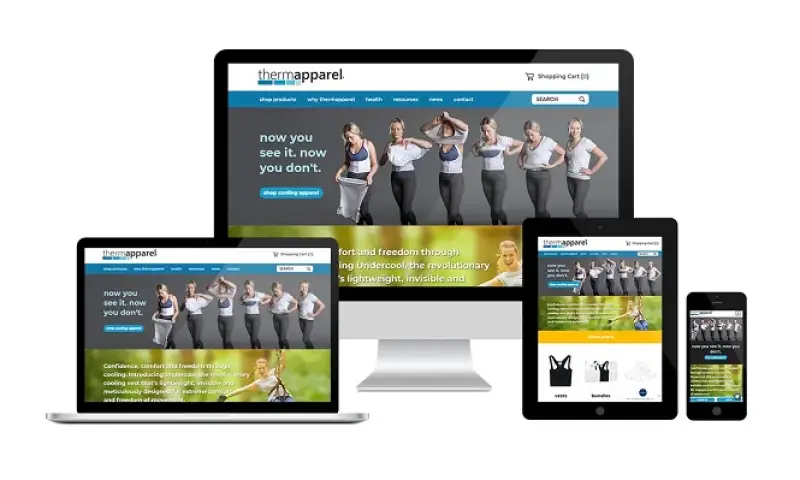
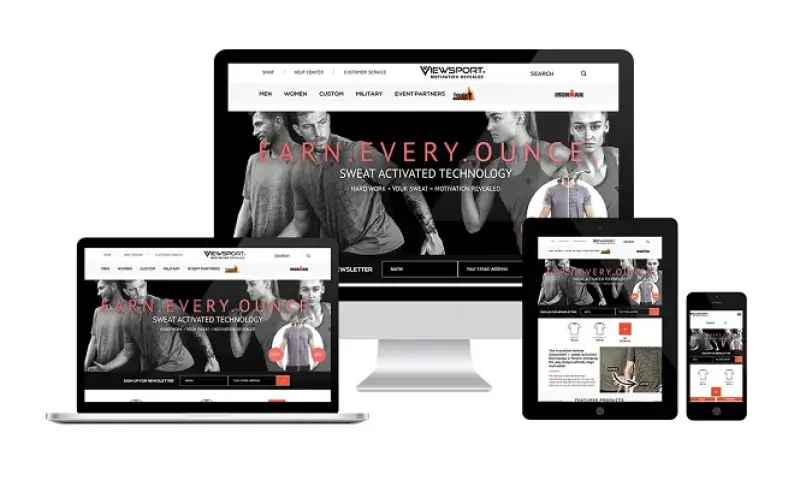
Different industries need different content models, conversion paths, customer expectations, and operational tools. These examples show responsive CMS Max experiences across healthcare, specialty retail, product marketing, and apparel eCommerce.

A durable website workflow
Define audiences, journeys, page types, content ownership, conversion goals, and integrations.
Create the visual language, responsive layouts, reusable sections, and content rules.
Give content teams practical controls for pages, media, navigation, forms, and SEO.
Use customer behavior, search needs, business changes, and new capabilities to guide iteration.
Built for the people who run it
The platform should protect the design while making the right everyday changes straightforward. CMS Max organizes tools around the work each team manages.
Explore agency partnershipsGrow beyond the brochure site
A CMS Max website can expand into commerce, data collection, discovery, integrations, and connected operations without sending every customer journey to a different platform.
Website builder questions
The platform should fit your content team, your customer journey, and the operation the website needs to support.
CMS Max supports reusable themes, layouts, and sections, but websites can be designed around the brand and business instead of being limited to a preselected public template.
Yes. CMS Max provides admin tools for pages, media, menus, forms, blogs, SEO fields, and other enabled features. The site can use reusable sections and governed layouts to keep updates consistent.
Yes. CMS Max supports website content plus Maxforms, blogging, eCommerce, SEO Max, plugins, and supported integrations on the same platform.
Yes. CMS Max can replace a WordPress website with a managed content platform, custom design, forms, SEO tools, integrations, and eCommerce where needed. Migration scope depends on the existing content and functionality.
CMS Max is delivered as a managed platform. The CMS Max team helps plan implementation, launch, and ongoing platform needs rather than handing customers a standalone codebase to host themselves.
Yes. CMS Max works with web developers and agencies that want a managed platform for custom websites, eCommerce, reusable content, integrations, and long-term client growth.
Build a better foundation
Tell us what the site needs to communicate, what your team needs to manage, and where the platform needs to grow next.
your next platform and the growing journey
Tell us what your customers need, how your team operates, and where the business is going. We will help map the right CMS Max foundation.
Copyright © CMS Max. All Rights Reserved | Terms/Privacy Policy
