eCommerce catalog architecture

Reusable Product Option Sets

Define a customer choice once, then apply it consistently across the products that share it.

Option sets reduce repeated catalog work by grouping reusable choices such as ring size, finish, material, or personalization. The key design decision is whether the choice configures a base product or represents a distinct inventory-bearing variant.

  • Reusable choices
  • Consistent values
  • Product configuration
  • Variant boundary

Quick answer

An option set is a reusable group of product choices.

Instead of recreating the same values on every product, a merchant can define a named set and apply it where relevant. That improves consistency, reduces setup time, and gives the catalog team one place to maintain shared choices.

Choose the right catalog model

Options configure a product; variants identify distinct sellable versions.

The customer interface may look similar, but the operational meaning is different. Base the decision on inventory, SKU, identifier, pricing, fulfillment, and reporting requirements.

01

Reusable option set

Use for a shared list of choices that can be attached to multiple products.

Maintain once
02

Product option

Use when a choice configures the base item or adds a customer-selected treatment.

Configure the item
03

Product variant

Use when each combination is a distinct sellable item with its own inventory, SKU, GTIN, pricing, or reporting.

Track separately
04

Product-specific choice

Use a dedicated set when values or rules should not change with other products.

Limit shared impact
Option or variant?

Let operations decide, not the appearance of the dropdown.

A selection can be displayed as a menu, swatch, button, or radio control. The data model should reflect how the item is purchased and managed.

Choose an option set
The same values repeat across products and do not require separate stock identity.
Choose variants
Each combination needs its own stock, SKU, GTIN, price, image, or operational record.
Split the model
Use a variant for inventory identity and options for personalization or add-on configuration.

Inside CMS Max

Create once, attach deliberately, and review shared changes.

CMS Max exposes Option Sets alongside Products and Variants so catalog teams can choose the right level of reuse.

  1. 01

    Name the customer decision

    Use a clear set name such as Ring Size, Wood Finish, or Engraving Style.

  2. 02

    Add controlled values

    Enter concise, customer-ready values in a logical order and remove duplicates or ambiguous labels.

  3. 03

    Attach to eligible products

    Open each product Options workflow and apply the shared set only where every value is valid.

  4. 04

    Test the full order path

    Confirm selection, price effects, cart details, order records, fulfillment instructions, and mobile usability.

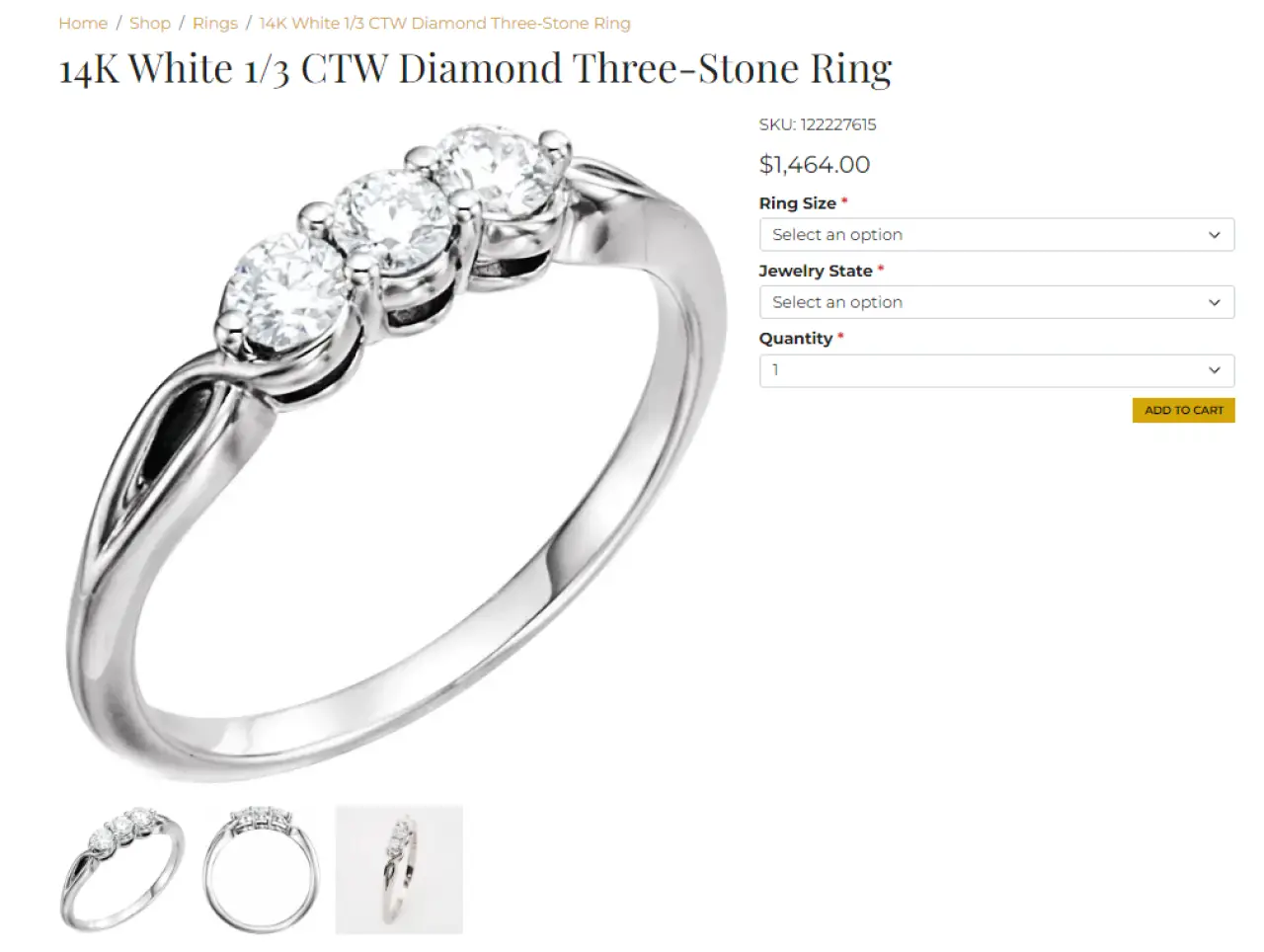
CMS Max storefront product page showing customer-selectable jewelry options
The storefront selection is the visible result of a catalog decision that also affects cart, order, and fulfillment data.

Connected platform context

Reusable configuration belongs beside the catalog and order workflow.

CMS Max manages products, variants, option sets, customers, orders, and fulfillment in one commerce environment. That makes it possible to test both the customer-facing control and the operational data it creates.

Primary references

Separate platform behavior from outside standards.

This guide reflects the current CMS Max eCommerce product documentation and administration model. External marketplace rules still apply when an option creates a distinct feed variant.

Option set FAQ

Questions teams ask in the real workflow.

The safest reuse is intentional reuse, with a clear owner for shared changes.

What is an option set in CMS Max?

An option set is a reusable named group of customer choices that can be applied to multiple products, such as a list of ring sizes or finishes.

When should I use a variant instead?

Use a variant when the combination is a distinct sellable item that needs its own inventory, SKU, GTIN, price, image, reporting, or fulfillment identity.

Can one option set be used on many products?

Yes. Reuse is the main purpose of an option set, but every value should be valid for every product where the set is applied.

What happens when a shared option set changes?

The updated values affect products using that set. Review storefront behavior, existing operational procedures, and any orders or integrations that depend on the labels before removing or renaming values.

What should I test after adding an option set?

Test the product page, required selection behavior, any price adjustment, cart line details, checkout, order administration, customer messages, and fulfillment instructions on desktop and mobile.

One connected platform

Model the catalog around how the business actually sells.

CMS Max helps merchants connect product choices to inventory, identifiers, checkout, orders, and fulfillment without forcing every catalog into the same template.

Building Relationships with Web Developers and Marketing Agencies that want better results

The world's fastest and most SEO friendly website code.