


We offer Zoho API Integrations Help & Support.
Below is an example of how our forms on CMS Max integrate with Zoho.
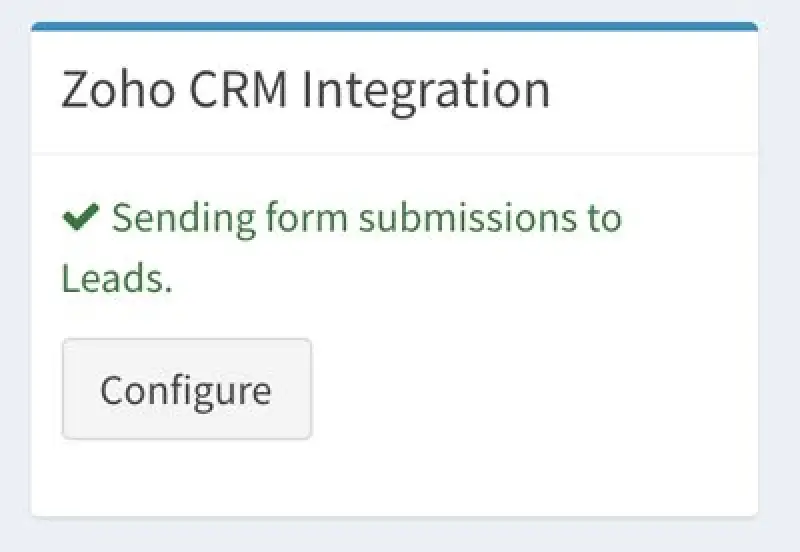
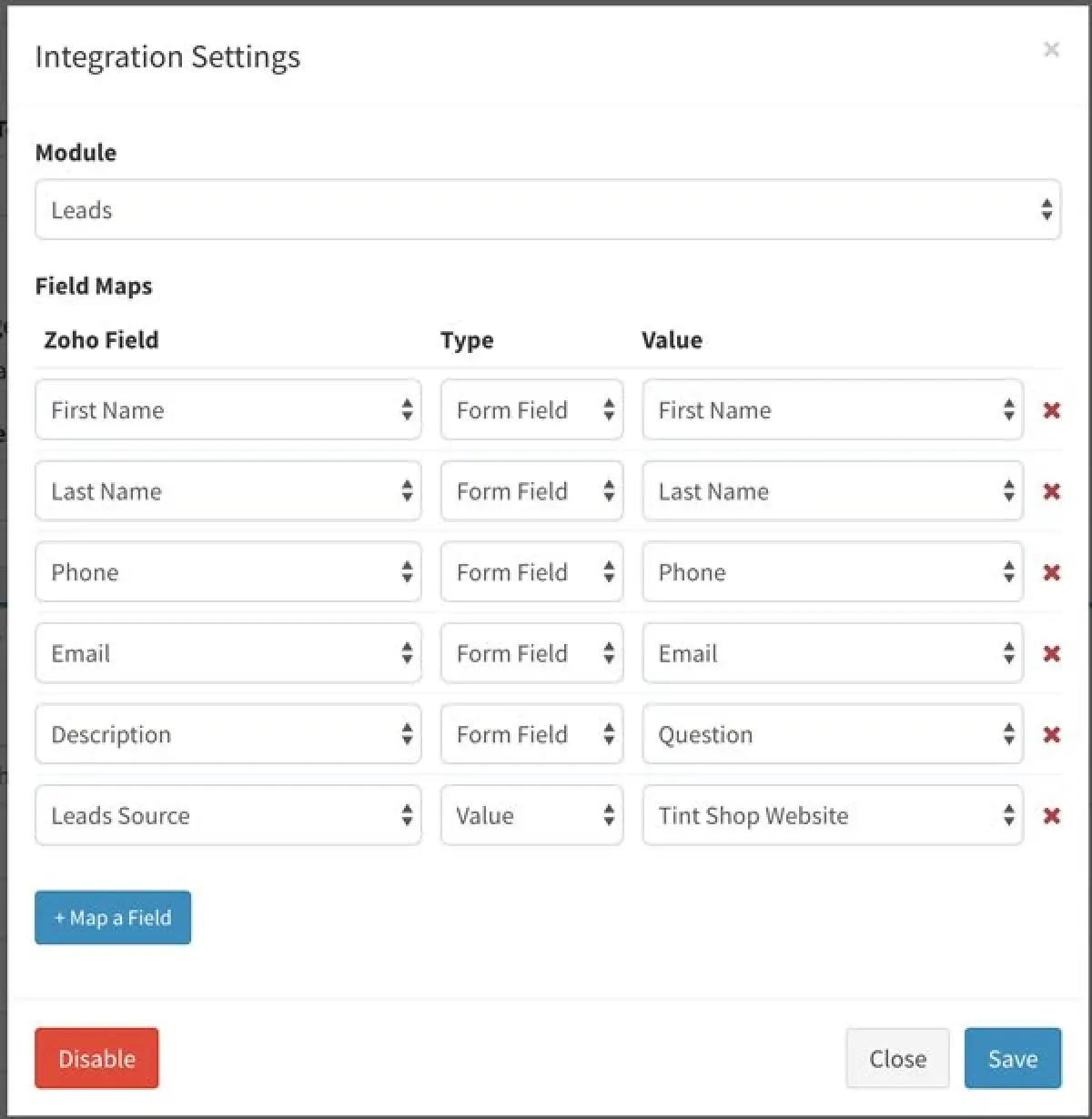
Clicking configure will let you select which module the data should be sent to and let you map Zoho fields to a form field or a specific value.
Step 1: Create Client
Here's how to get the API keys:
Go to the site: accounts.zoho.com/
Click Add Client ID.
Enter the Client name, domain and redirect URL
Client Name: CMS Max
Client Domain: yourwebsite.com
Authorized redirect URIs: https://www.yourwebsite.com/webadmin/zoho
Click Create.
Note down your client ID.
Step 2: Generate Grant Token
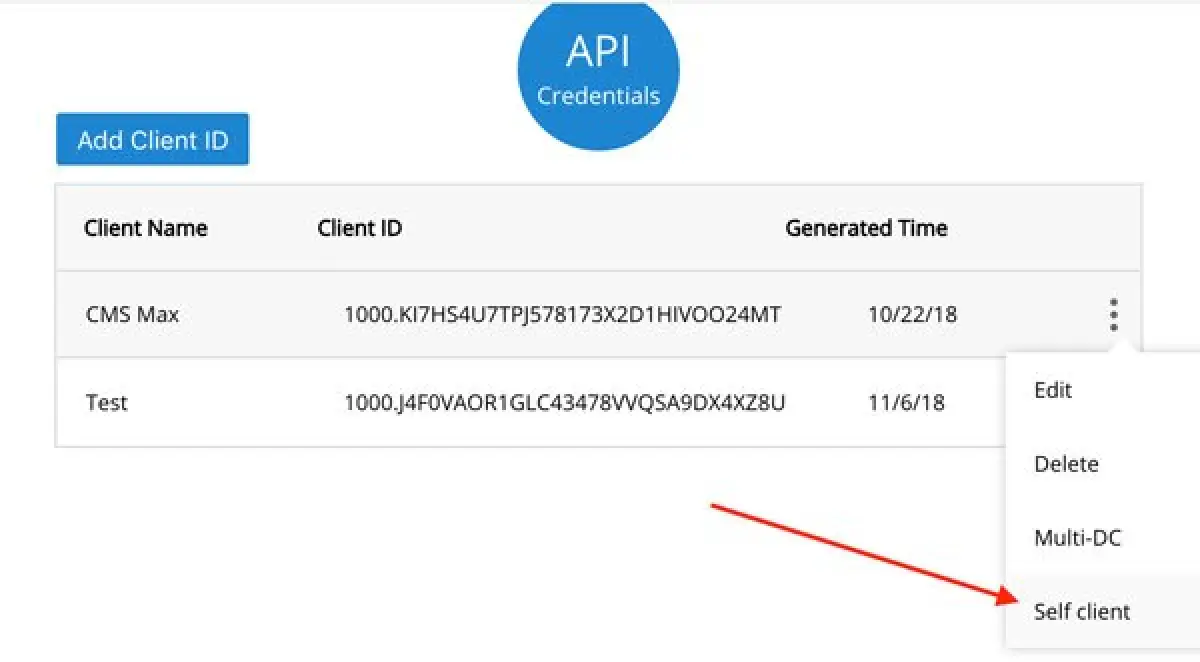
From the API Credentials screen, click the menu icon for the client app you just created and select "Self client".
For the Scope enter: ZohoCRM.modules.all,ZohoCRM.settings.all
Set Expiry to 10 minutes
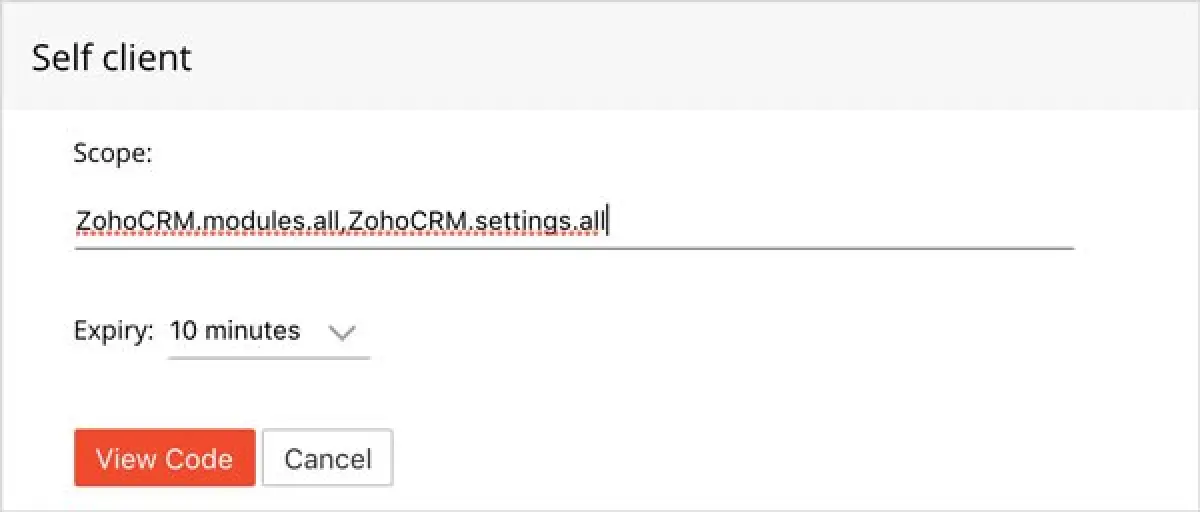
Click View Code and a token will be generated.
The token expires after 10 minutes.
