A widget is not a support program
Define hours, queues, routing, escalation, response targets, knowledge, coverage, handoff, offline behavior, and quality review before launch.
Real-time customer support widget
Put a staffed support channel beside the content, products, forms, and checkout moments where customers need help.
The CMS Max LiveChat plugin stores and injects the merchant-provided LiveChat embed code. LiveChat manages the widget and agent experience; the merchant owns staffing, routing, availability, privacy, transcript policy, placement, and service outcomes.

Conversion architecture
Define the business outcome, data boundary, customer expectation, operating owner, failure path, and measurement plan before installing the technology.
Define hours, queues, routing, escalation, response targets, knowledge, coverage, handoff, offline behavior, and quality review before launch.
Test mobile sticky controls, accessibility tools, cookie choices, forms, cart, checkout, account views, keyboard access, performance, and visual overlap.
Document what LiveChat collects, who can access conversations, retention, exports, deletion, subprocessors, consent, security, and incident response.
Current CMS Max capabilities
Availability depends on the plugin or approved embed being active, required provider accounts, current provider features, accurate configuration, consent, source data, plan limits, and tenant setup.
Copy the current website widget code from LiveChat and store it in the CMS Max plugin setting for frontend injection.
The installed provider script can render the LiveChat customer widget on eligible CMS Max pages so visitors can start a provider-hosted conversation.
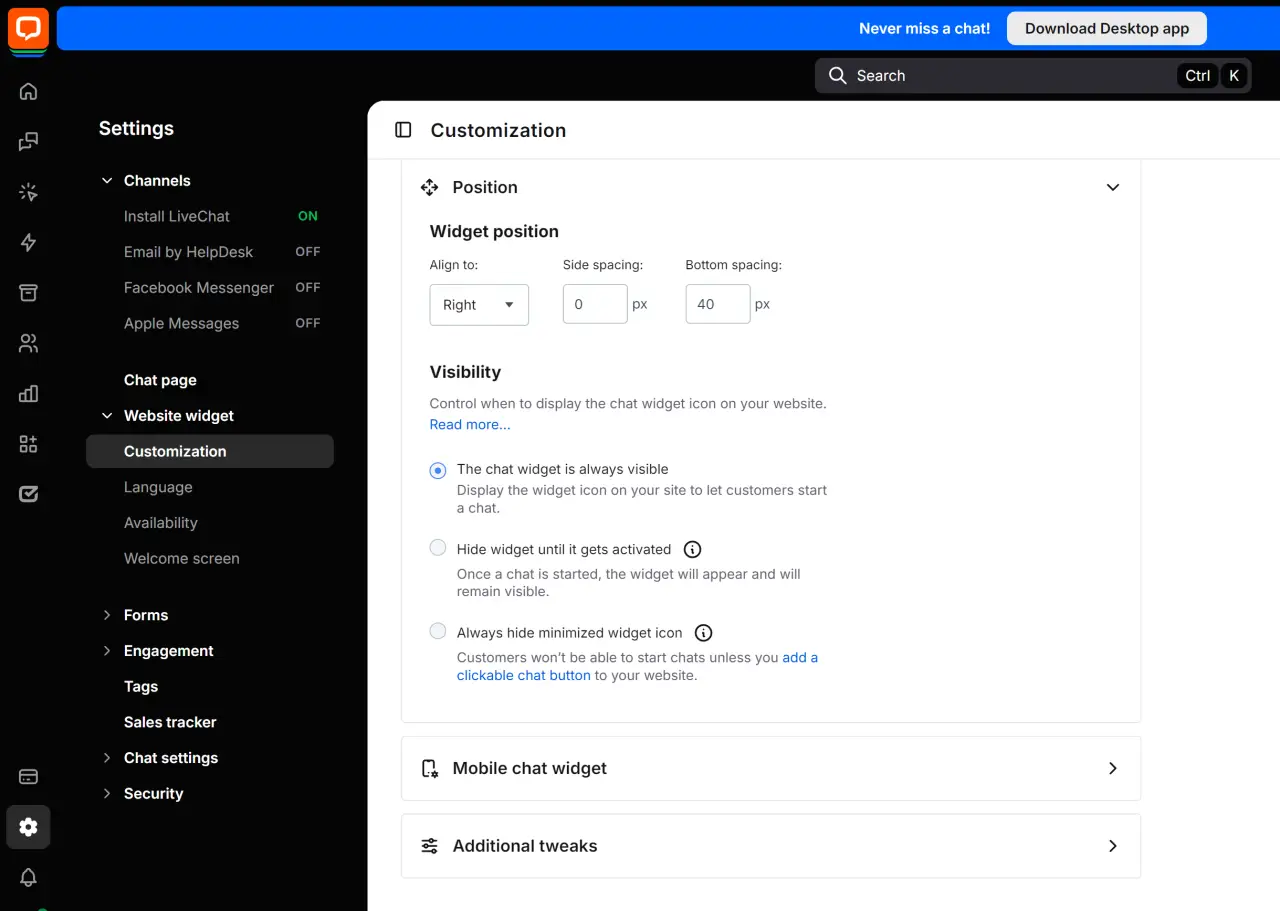
Configure appearance, position, spacing, visibility, mobile behavior, language, availability, forms, engagement, and other supported options in LiveChat.
The current LiveChat widget API can support actions such as maximize, minimize, hide, show, and event handling when separately configured and tested.
Place live assistance near product questions, forms, pricing, shipping, returns, and checkout while avoiding obstruction, dark patterns, or collection of sensitive payment data.
LiveChat owns the provider-side inbox and agent tooling. CMS Max connects the widget to the website but does not staff, route, retain, or report conversations itself.
Customer-to-operation flow
Every stage needs clear inputs, an observable result, an exception path, and a named owner.
Identify the questions and pages that need live help.
Add the current merchant widget code in CMS Max.
Set appearance, mobile behavior, privacy, and availability.
Route conversations and own escalation and coverage.
Review quality, conversion, accessibility, and performance.
Implementation sequence
Use representative content, users, devices, permissions, failures, and provider states before relying on the workflow.
Document audiences, use cases, hours, staffing, routing, languages, response targets, escalation, offline capture, prohibited data, and quality review.
Confirm the license owner, authorized users, teams, security, privacy settings, retention, integrations, widget configuration, and billing.
Copy the website code from LiveChat, paste it into the CMS Max plugin setting, save, and verify that no obsolete or duplicate snippet remains.
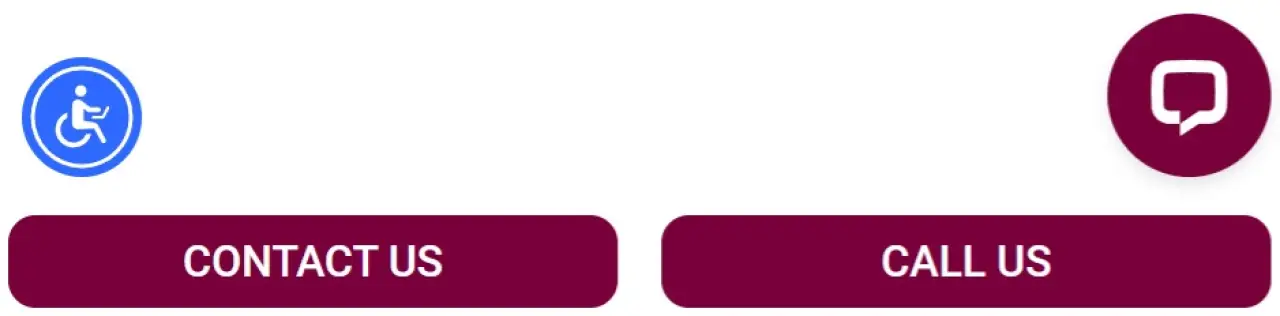
Configure position and bottom spacing around mobile sticky actions, accessibility controls, cookie tools, and other floating elements.
Test online, offline, queued, mobile, keyboard, screen zoom, consent choices, route changes, cart, checkout, forms, blocked scripts, and slow networks.
Review response time, abandonment, resolution, escalations, transcript quality, conversion influence, customer feedback, script errors, and page performance.
Operational ownership
Clear ownership makes privacy, security, support, changes, billing, measurement, and incident recovery faster.
Documentation and related resources
Provider interfaces, plans, policies, APIs, scripts, and supported features can change. Use official documentation and the live account during implementation.
Integration FAQ
Turn each answer into configured rules, representative tests, monitoring, and written ownership.
It stores the merchant-provided LiveChat embed code so the provider widget can be injected into the CMS Max frontend. LiveChat remains the conversation and agent platform.
Manage supported appearance, position, spacing, visibility, mobile behavior, language, availability, forms, engagement, and security settings in the LiveChat account.
LiveChat provides widget JavaScript actions such as maximize. Any forced state should be separately configured and tested for consent, mobile usability, accessibility, interruption, and conversion impact.
Configure side and bottom spacing in LiveChat, then test the actual website with sticky actions, accessibility controls, cookie banners, support tools, keyboards, safe areas, and zoom.
The current plugin is a settings-only embed integration and does not implement a CMS Max transcript model. Review provider storage, retention, access, export, and deletion behavior in LiveChat.
No. Outcomes depend on traffic, placement, page quality, staffing, response time, relevance, agent knowledge, customer trust, privacy, accessibility, performance, and measurement design.
Connect with purpose
Bring the use case, account, data, consent requirements, owners, content, test plan, failure handling, and success measures. CMS Max will help map the supported path.
The world's fastest and most SEO friendly website code.